
English
English
Appearance
At equator size, every country on the map is drawn at its true size, as if it sat on the equator, where the Mercator projection has almost no distortion. Countries near the poles, such as Russia, Canada and Greenland, shrink a lot, while countries near the equator hardly change.
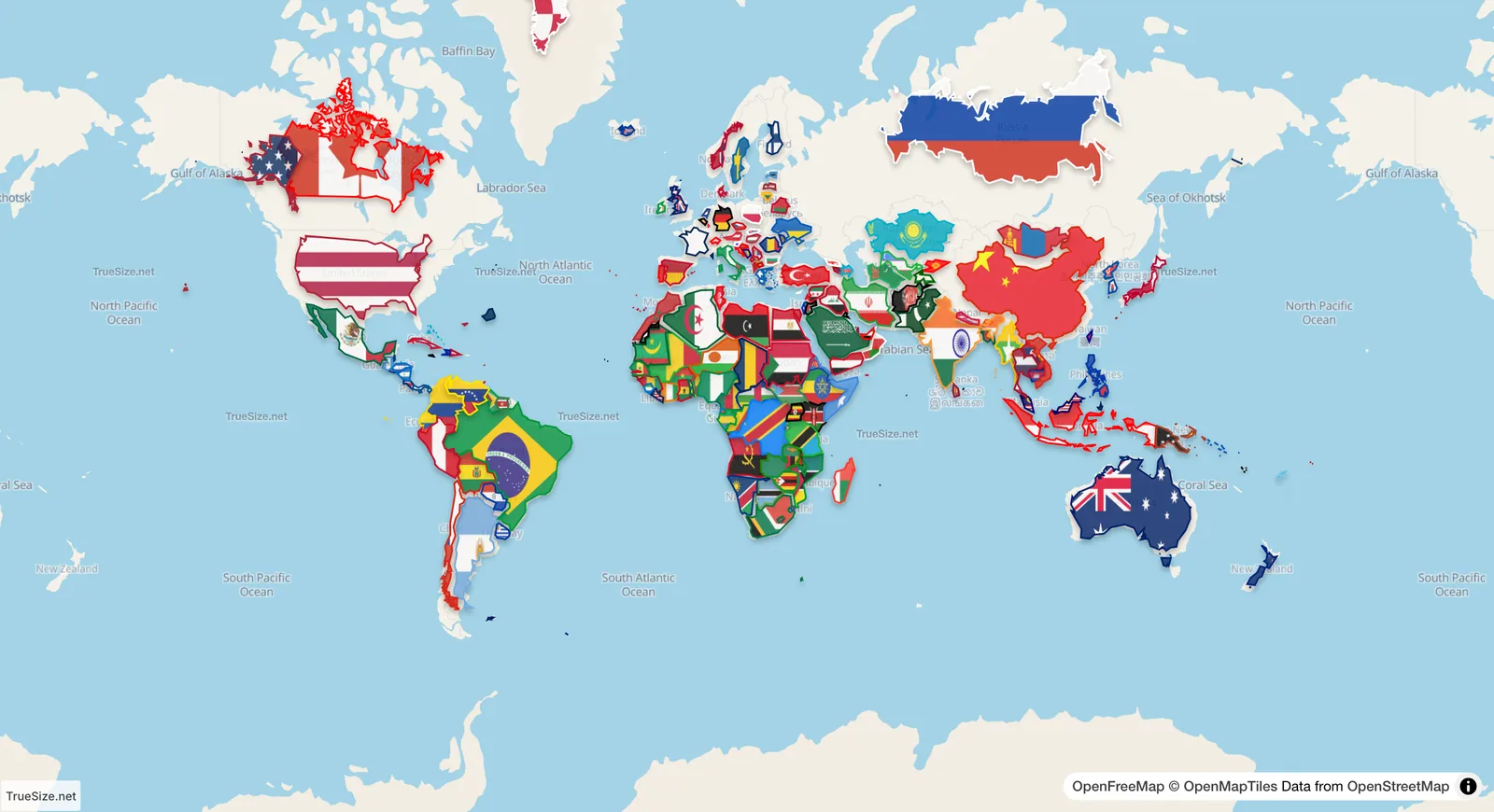
Every country loaded at equator size. Compare it with a normal Mercator map.
On a Mercator map, the distance between two points is stretched by a factor that grows as you move away from the equator. Near the equator the factor is about 1. At 60° latitude it is 2 in each direction, so areas look 4 times bigger. At 70° it is about 2.9, so areas look more than 8 times larger.
Equator size removes this stretch. TrueSize moves each country to the equator, keeps its real area there, and then puts it back at its home location. Every country still sits in its normal place, but with the size and shape it would have on the equator. Because all countries share the same scale, you can compare them fairly without moving anything.
| Country | Latitude range (rough) | Looks bigger on Mercator by (area, rough) |
|---|---|---|
| Brazil | 5°N to 34°S | 1× to 1.5× |
| India | 8°N to 35°N | 1× to 1.5× |
| United States (contiguous) | 25°N to 49°N | 1.2× to 2.3× |
| Russia | 41°N to 78°N | 1.8× to 23× |
| Greenland | 60°N to 83°N | 4× to 80× |
These are approximate geometric values for the local stretch of area at those latitudes. They show why the biggest changes appear at the top of the map.
Please rotate your device
The map needs portrait orientation on small screens — landscape leaves too little height to work with.