
English
English
Appearance
TrueSize is not only for countries. You can load natural features such as the Sahara, the Alps, Borneo or the Caspian Sea and drag them over any country to see how they compare. The catalog holds 787 land features, plus lakes, seas, bays, rivers and river basins, and they all move and keep their true area like any other region.
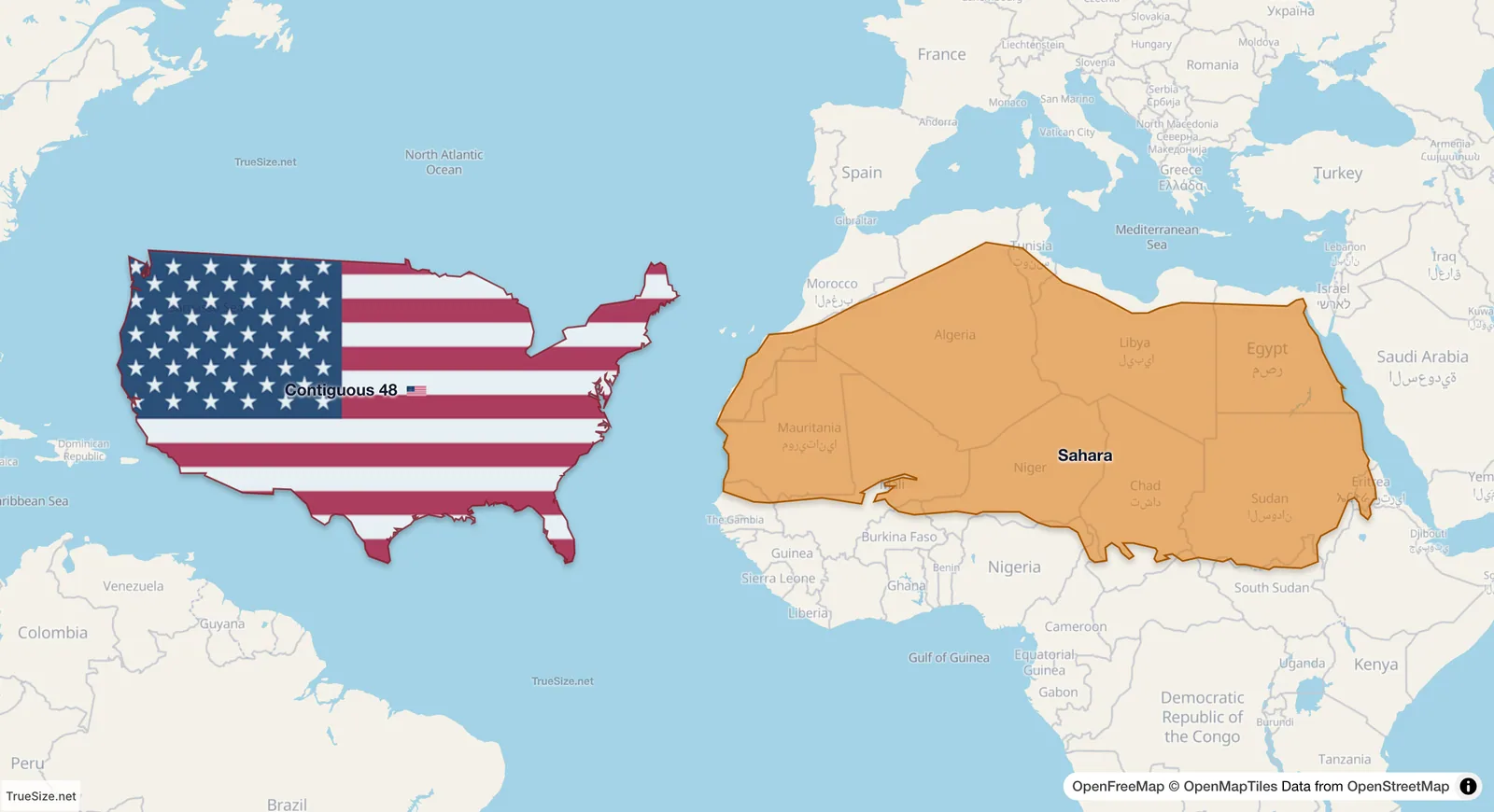
The Sahara and the 48 contiguous US states side by side at the same latitude.
Rivers and river basins load as well, but a river is a long thin line, so its area says little. Basins are often the more useful comparison.
| Kind | How many |
|---|---|
| Islands | 249 |
| Mountains and mountain ranges | 219 |
| Plateaus | 101 |
| Archipelagos | 84 |
| Peninsulas | 67 |
| Deserts | 58 |
| Basins | 9 |
That is 787 land features. Lakes, seas, bays, rivers and river basins are in addition to that.
Don't want to search one by one? Open the Advanced tab, press Load, and use the Load All dialog. These options are for natural features:
Each group then appears on the map at once; drag any shape out of the pile. Some groups hold hundreds of shapes, so give the map a moment to load them. These options are for modern maps; the dialog says "Not available in historical years" when you are in Historical mode.
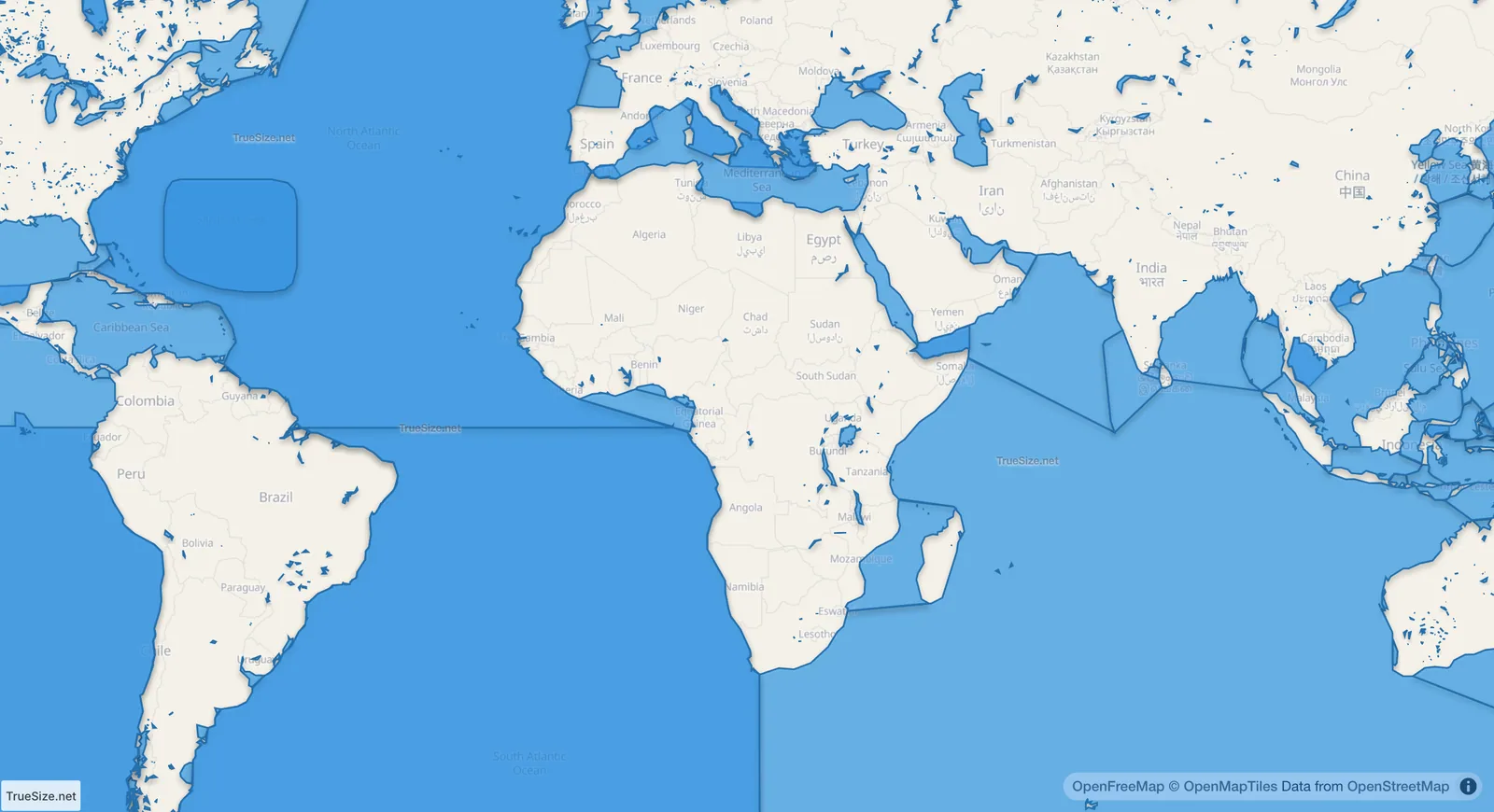
All lakes, seas and bays loaded together.
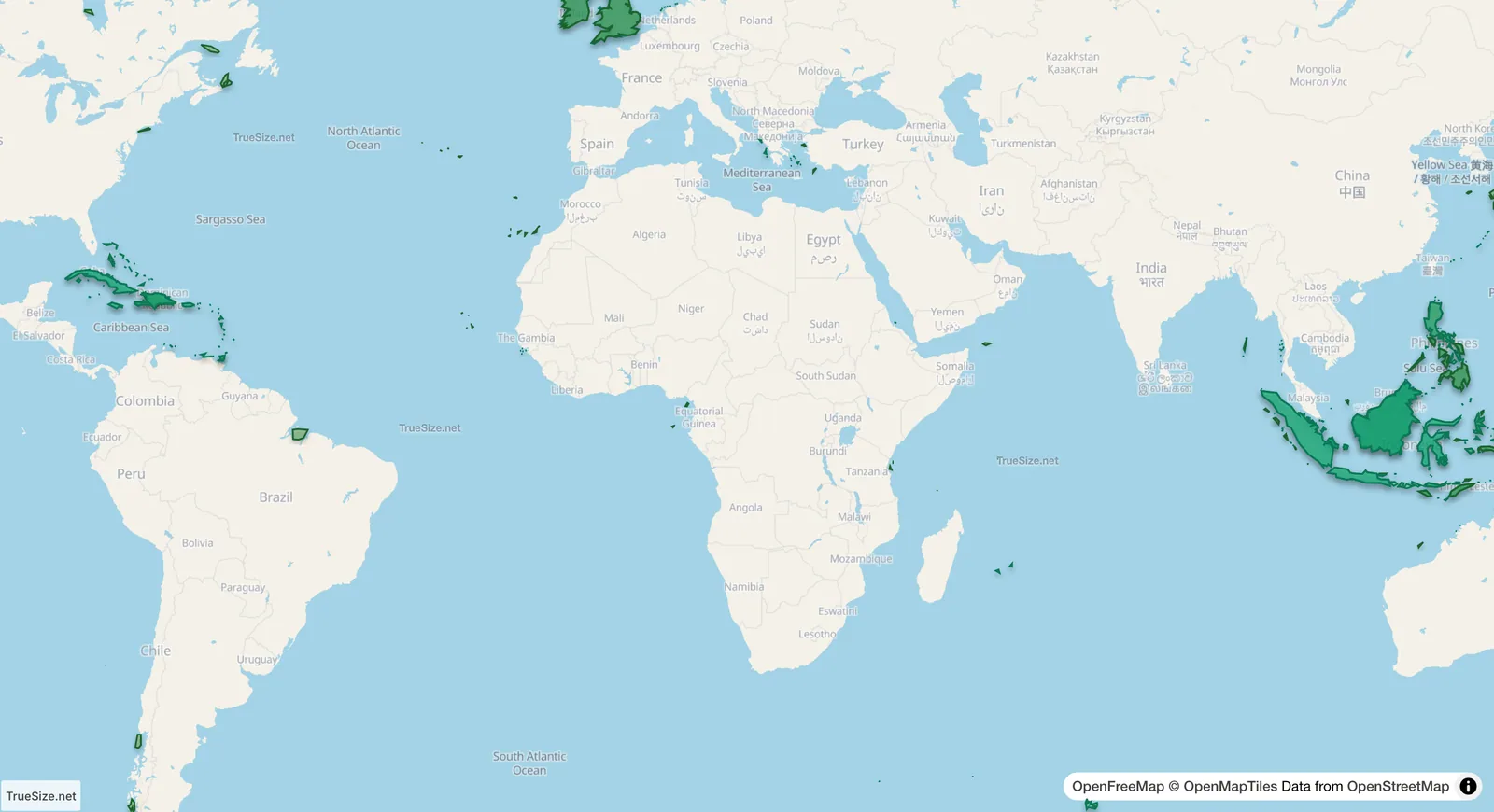
All islands and archipelagos loaded together.
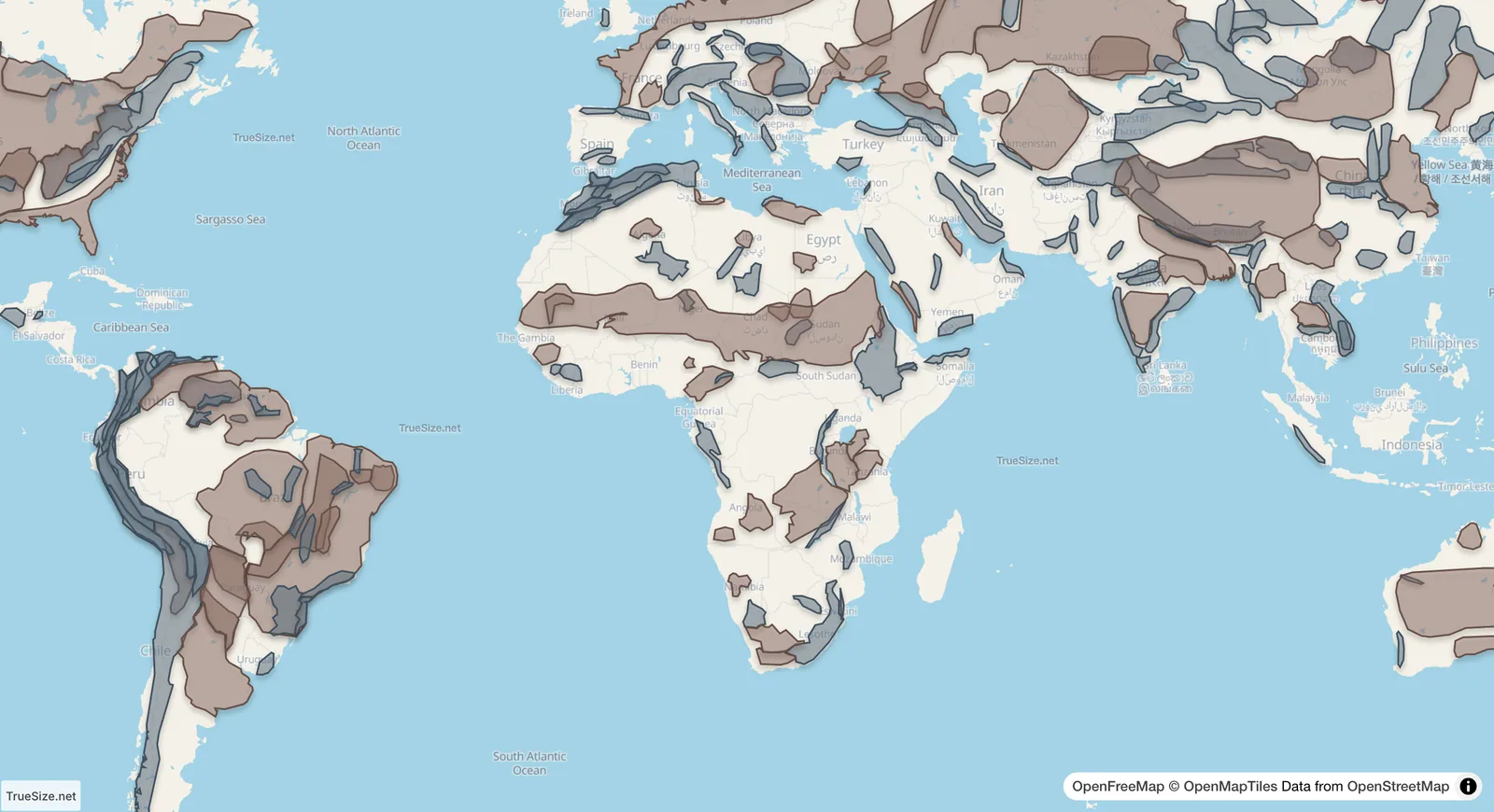
All mountains and plateaus loaded together.
Search and Load All for natural features work on the web and in the mobile app.
Please rotate your device
The map needs portrait orientation on small screens — landscape leaves too little height to work with.